Yes. On a Samsung Galaxy A34 you can exempt Microsoft Authenticator from Samsung’s battery restrictions, although it depends slightly on the One UI version. The setting you want is Unrestricted battery usage and (optionally) Never sleeping apps.
Try this:
- Open Settings
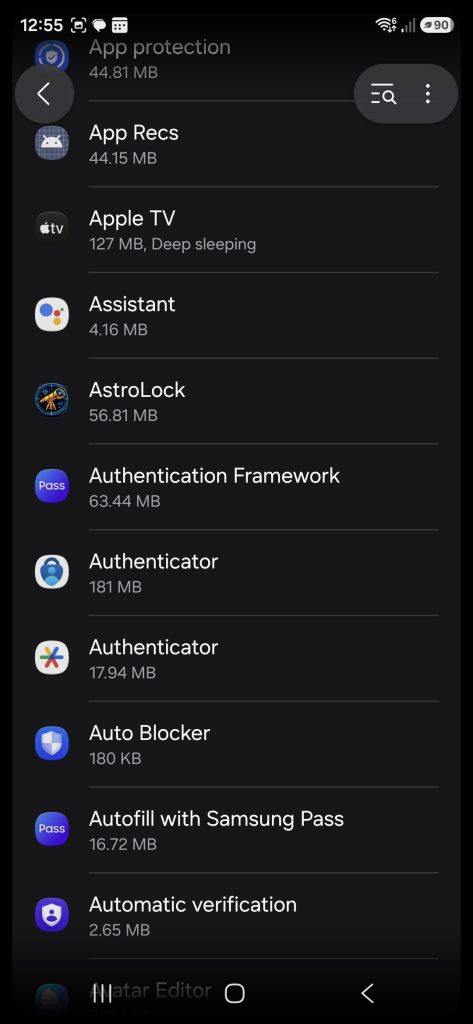
- Go to Apps
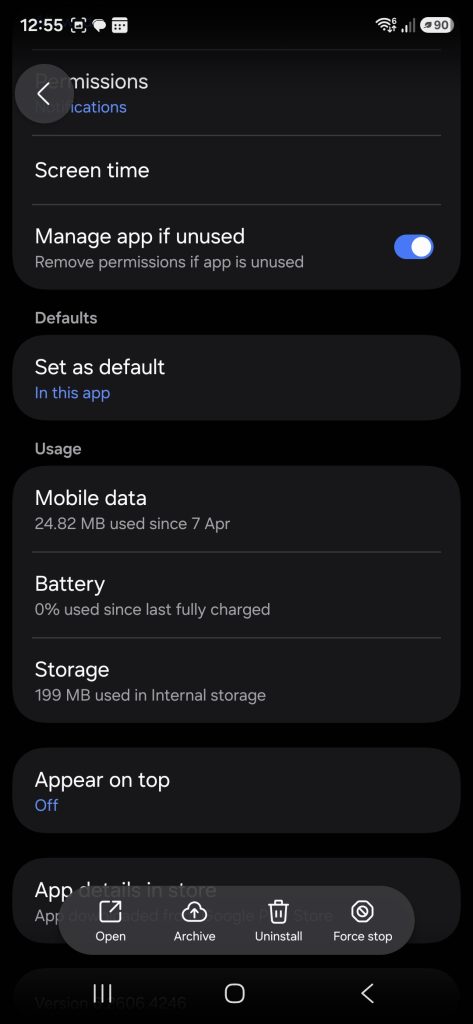
- Select Microsoft Authenticator. (On my A34 presented as “Authenticator” – choose Microsoft one rather than Google one).
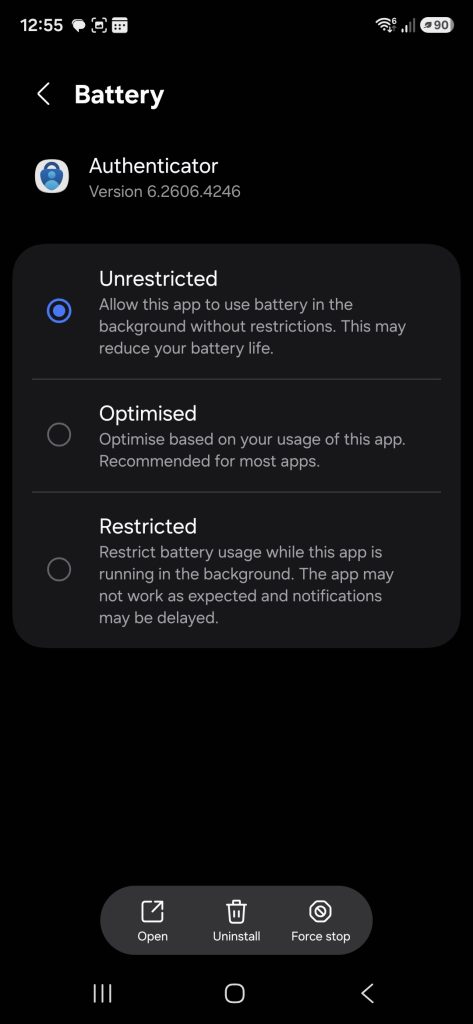
- Tap Battery
- Select Unrestricted (instead of Optimised or Restricted)
Then also check:
- Settings
- Battery and device care
- Battery
- Background usage limits
- Tap Never auto sleeping apps
- Add Microsoft Authenticator
This should allow Authenticator notifications (for example, approval prompts) to arrive even when power saving is active. Microsoft specifically recommends disabling battery optimisation when Authenticator has sync or notification problems.
One point: the Power saving mode → Limit apps and Home screen option is more aggressive; if that is enabled, Samsung can restrict the available apps while power saving is on. Samsung’s own instructions indicate that apps can be added to the allowed list from that Power saving screen before activation.