
` To determine the integrity of an SD card, test it by completely filling its storage with data and verifying it. This process confirms the card’s true capacity, exposes fake memory chips, and uncovers hidden read/write errors. It is also highly recommended to use built-in error checking for immediate filesystem issues. [1, 2, 3, 4, 5]
1. Perform a Full Write and Verify Test
Running a comprehensive read/write test is the gold standard to check if a card is counterfeit or physically failing. These utilities fill the card with test data and read it back to ensure the data matches perfectly. [1, 2, 3, 4, 5]
- Windows: Download the freeware utility H2testw. Back up your files, select your drive, and click “Write and Verify.”
- Mac: Use the open-source command-line tool F3 (Fight Flash Fraud).
- Android: Download SD Insight from the Google Play Store to verify the manufacturer details and true hardware identity.
- Linux: Use the command-line utility badblocks or the F3 package. [1, 2, 3, 4, 5]
2. Built-In OS Error Checking
If your SD card is randomly dropping files or showing corrupt folders, use your computer’s built-in disk tools to repair the filesystem. [1, 2]
- Windows: Open File Explorer, right-click the SD card, and select Properties. Go to the Tools tab and click Check to scan and repair errors. [1]
- Mac: Open Disk Utility (via Applications > Utilities). Click Show All Devices in the sidebar, select your SD card volume, and click First Aid. [1]
3. Check for Physical and FAKE Signs
Before spending time on software testing, look for visual warning signs of counterfeit hardware: [1, 2]
- Pricing: If the card was significantly cheaper than retail prices (e.g., £10 for a 1TB card), it is almost certainly a hacked, low-capacity counterfeit.
- Packaging: Look for misspellings, faded logos, or a missing UPC on the retail packaging.
- Physical Damage: Check for chipped plastic, tarnished gold connection pins, or a loose write-protect switch. [1, 2, 3, 4]
For a walkthrough on how to use H2testw to properly write and verify SD card integrity:
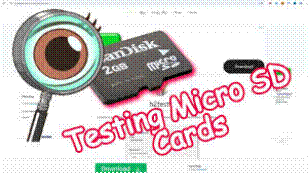
58s
How to Test Storage Integrity of Micro SD, Flash Drive, or HDD …
Etc.
Probably a good idea to give your PicoMuon a new card. Keep to reliable brands.
Cheers, John